






YouTube is the world's largest video-sharing platform, offering everything from educational tutorials and music videos to podcasts, documentaries, and entertainment content. Many users want to download YouTube videos using a link for offline viewing, content editing, archiving, or learning without an internet connection. We'll explain the easiest, safest way to download YouTube videos from a link using PcGoGo Video Downloader.
Why People Download YouTube Videos ?
Downloading YouTube videos via a direct link is one of the most convenient methods because it avoids complicated steps or browser extensions. Common reasons include:
Watching videos offline while traveling or commuting
Saving tutorials or lectures for study purposes
Archiving important content before it's removed
Extracting audio for podcasts or background music
Editing videos for presentations or creative projects
With just a YouTube URL, you can quickly access and save the content you need—if you use the right tool.
How to Download a YouTube Video from a Link Using PcGoGo Video Downloader
Follow these simple steps to download YouTube videos from a URL:
Step 1: Install PcGoGo Video Downloader
Download PcGoGo Video Downloader from the official website, install it on your computer, and launch the program
Step 2: Copy the YouTube Video Link
Open YouTube in your browser, find the video you want to download, and copy its URL from the address bar or the Share button
Step 3: Paste the Link into PcGoGo Video Downloader
Paste the copied YouTube link into the download bar inside PcGoGo Video Downloader
The software will automatically analyze the video and prepare available download options
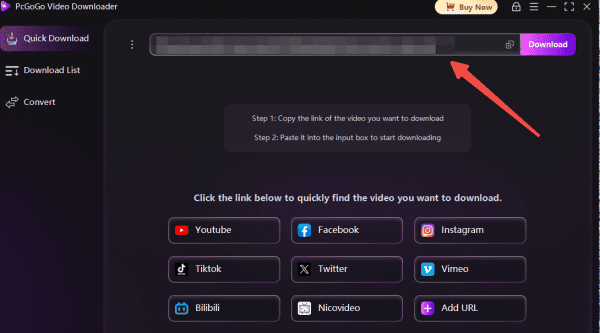
Step 4: Choose Format and Quality
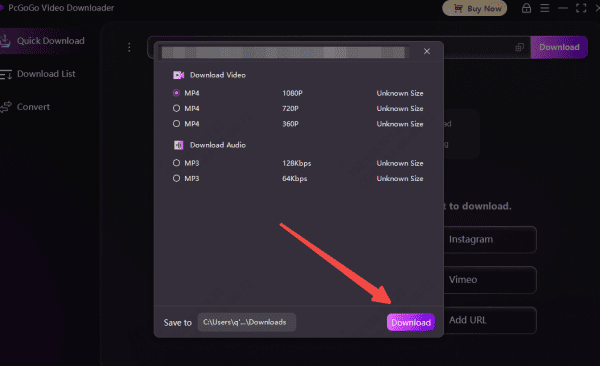
Select your preferred format:
MP4 for video
MP3 for audio only
Choose the resolution you want, such as 720p or 1080p, depending on availability
Step 5: Start Downloading
Click the Download button
PcGoGo Video Downloader will begin saving the video to your computer, and you can monitor progress in the download list
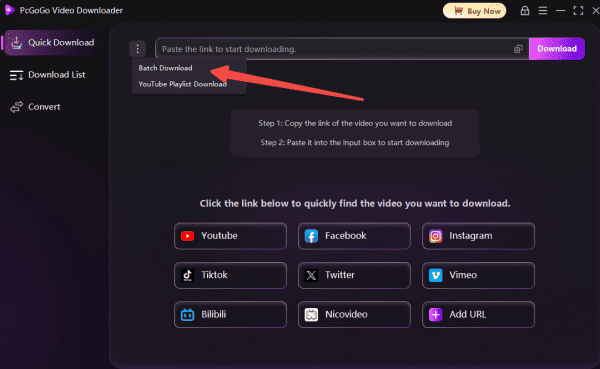
Batch Download YouTube Videos from Multiple Links
If you have more than one video link, PcGoGo Video Downloader also supports batch downloading:
Step 1: Copy all YouTube Video Links
Copy multiple YouTube URLs
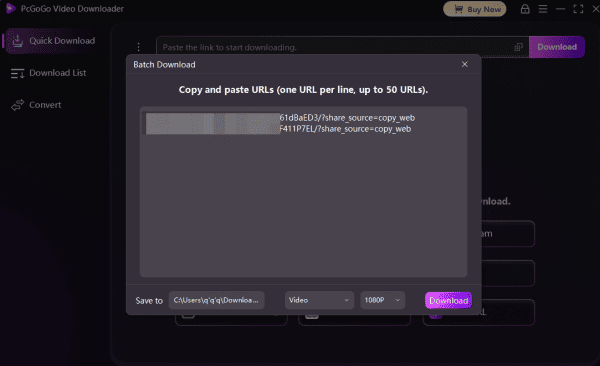
Step 2: Paste the Links
Paste all links into the downloader at once
Step 3: Choose Format and Quality
Choose format and quality for each video
Step 4 : Download
Download all videos simultaneously
Legal and Responsible Use
Before downloading YouTube videos, keep these guidelines in mind:
Download videos for personal or educational use
Avoid redistributing copyrighted content without permission
Respect creators' rights and platform policies
Use downloaded content responsibly
Why Choose PcGoGo Video Downloader?
PcGoGo Video Downloader offers a professional solution for downloading YouTube videos from links with ease:
Supports YouTube videos, Shorts, playlists, and channels
Downloads videos in HD, Full HD, and higher resolutions (when available)
Converts videos to MP4 or extracts audio as MP3
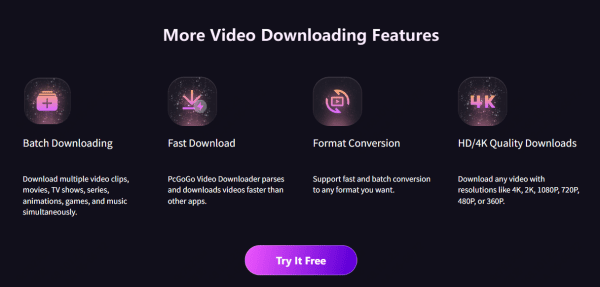
Batch download multiple videos from different links
No watermarks or quality loss
Clean, user-friendly interface for beginners and professionals

Conclusion
Downloading YouTube videos to your computer is easy and efficient with PcGoGo Video Downloader. It boasts fast processing speeds, supports batch downloads, delivers high-quality output, and downloads videos without watermarks, making it the ideal tool for creators, students, or casual viewers. Simply follow the steps below to easily save, manage, and watch YouTube content offline, meeting all your needs.
